DialogueOne brings AI agents, business processes, and customer experiences together on Salesforce™ CRM. Give agents the context, knowledge, and tools to do useful work: prepare account briefs, generate documents, understand files, and create personalized customer experiences. Your team's business knowledge, technical skills, and judgment shape how those agents work. Keep Salesforce™ as the system of record and people in control of important decisions.
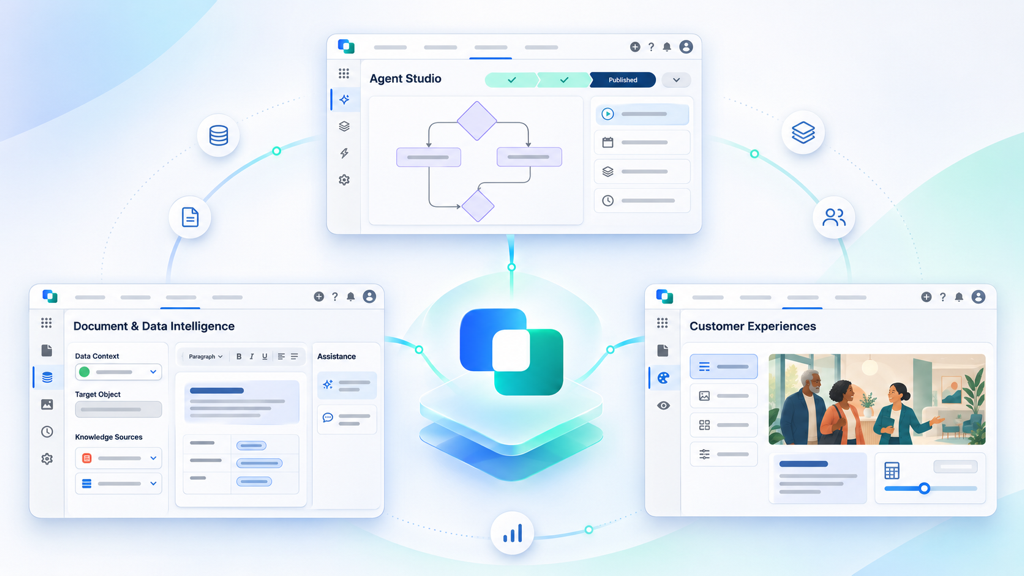
Agent Studio
Build agents around your business processes
Define what agents should do, connect them to Salesforce™ context, and run governed workflows without moving your business into a separate AI application.
- Agent instructions, reusable skills, tools, and process diagrams
- Salesforce™ records, business knowledge, and approved actions
- Interactive and background workflows with human review where needed
Explore the Agentic Platform
Content & Customer Experiences
Turn intelligence into customer outcomes
Put agent intelligence to work in documents, communications, and personalized Experiences. Generate new content, understand existing files, and help customers take the next step.
- Proposals, agreements, document generation, and eSignatures
- Intelligent Document Processing, OCR, extraction, and file Q&A
- Interactive customer Experiences, Document Rooms, and calculators
Explore Customer Experiences
- ESPN
- HP
- Time Warner Cable
- Zonar
- Aviate
- Jet RVSM Services
- Logalytics
- eHormones MD
- PacketFabric
- Prudent Investors
- Planar
- Cubic Compass
- Document My Org
- Counted
- SOL REPUBLIC
- iGrafx
- BRAGA Group
- PABCO Gypsum
- Permacast Walls
- Addigy
- Together for Haiti
- Veterans2Work
- Center for WhatWorks
- Vetforce
- Byrd Barr Place
- Feed the Need Missions
- Friendship Circle New Jersey
- Chabad UF Jewish Student Center
- Natural Womanhood
- A Meal With Dignity
- Yaldei Shluchei HaRebbe
- First Tee
- Colel Chabad
The pillars of One
Many agents. Many customer interactions. One common foundation. These principles shape how DialogueOne agents work with your people, processes, and Salesforce™ CRM.
One Definition
A business process owner and a Salesforce™ admin or developer shape one shared Markdown definition of the process, intended outcomes, and agent behavior that people can read and agents can follow. Grow your career through PAIR Engineering: Pair, Author, Inspect, Release. Both partners bring their expertise to designing, reviewing, and improving agent behavior. Process is code.
Explore PAIR Engineering →
One Intelligence
Specialized agents share a common, high-performance intelligence foundation, with access to OpenAI’s most capable models. Each agent can have its own skills and responsibilities while operating within a consistent platform for context, tools, and governance. Agents run for your organization, keeping shared definitions and business knowledge with the business rather than in individual desktop AI accounts.
One-to-One Personalization
Agents use relevant customer context to tailor emails, documents, presentations, and interactive Experiences to the individual customer. Personalization becomes part of the workflow, rather than a separate campaign or template exercise.
One Customer Record
Salesforce™ remains the customer system of record. Agents work with shared Account, Contact, Opportunity, Case, and related context, supporting multiple concurrent customer processes without treating each interaction as an isolated relationship.
One agentic operating layer for Salesforce
Start with Salesforce customer context
Use accounts, contacts, opportunities, cases, quotes, products, related Files, and approved business knowledge. Keep CRM data central instead of copying it into a disconnected AI workflow.
Define the agent and process
Combine instructions, skills, tools, process definitions, and permissions to describe the work an agent should perform. Make the process understandable to both business and technical teams.
Let agents do the work
Agents can gather context, prepare account intelligence, draft customer communications, generate documents, read files, and carry out configured Salesforce actions. Run work in an interactive conversation or a background process.
Review and govern outcomes
Use permissions, approvals, and human review where business commitments, extracted values, customer-facing content, or record changes require oversight.
Deliver the next useful outcome
Save or share a document, request an eSignature, publish a personalized Experience or Document Room, collect customer input, or update Salesforce through a permitted workflow. A lead, case, order, and renewal can each progress independently while sharing customer context.
Why DialogueOne
- Built around your CRM: Customer records, Files, and business context remain central to the work agents perform.
- A shared agent foundation: Instructions, skills, tools, and process definitions support agents across sales, service, and customer operations.
- Business and developer alignment: Human-readable agent definitions and process diagrams help teams work from the same understanding.
- Documents and file intelligence included: Generate proposals and agreements, or use IDP, OCR, extraction, summaries, and file Q&A on existing content.
- Experiences beyond static documents: Deliver personalized pages, interactive components, Document Rooms, and eSignatures.
- Governed actions: Keep approval and review in the workflow for consequential outputs and Salesforce updates. Security and governance details are available in the public Trust Center.
- Usage-based pricing: Scale with the document processing, generation, and agent work your organization uses.
Explore DialogueOne
- Product - explore the agentic platform, content intelligence, and customer Experiences.
- Agentic Platform - see the runtime, agent skills, tools, and orchestration model.
- Document Generation - generate customer-ready content from Salesforce data.
- Intelligent Document Processing - read, summarize, and extract data from existing files.
- Customer Experiences - create interactive, personalized content and Document Rooms.
- Image OCR - turn image and scanned-document text into usable file context.
- Solutions - see how DialogueOne capabilities support Salesforce business workflows.
- Pricing - compare Free, Starter, Growth, Scale, and Enterprise plans.
- Trust Center - review security, data handling, AI governance, policies, and assurance evidence.
- Resources - find Academy, Agent Gallery, Support, releases, security, and architecture.
Next step
Start with a Salesforce process your team already knows: prepare an account brief, review incoming documents, respond to a case, or create a customer proposal. Let DialogueOne help you make that process agentic, then expand to the next opportunity.
Install the DialogueOne Salesforce package to begin.
Get Started